


Staking IP via Crouton Digital

How to Stake Story (IP) Tokens - Step‑by‑Step Guide (via CroutonDigital Validator)
This guide walks you through staking your Story (IP) tokens securely using the CroutonDigital validator on the official Story Staking portal.
1. Prepare Your Wallet
-
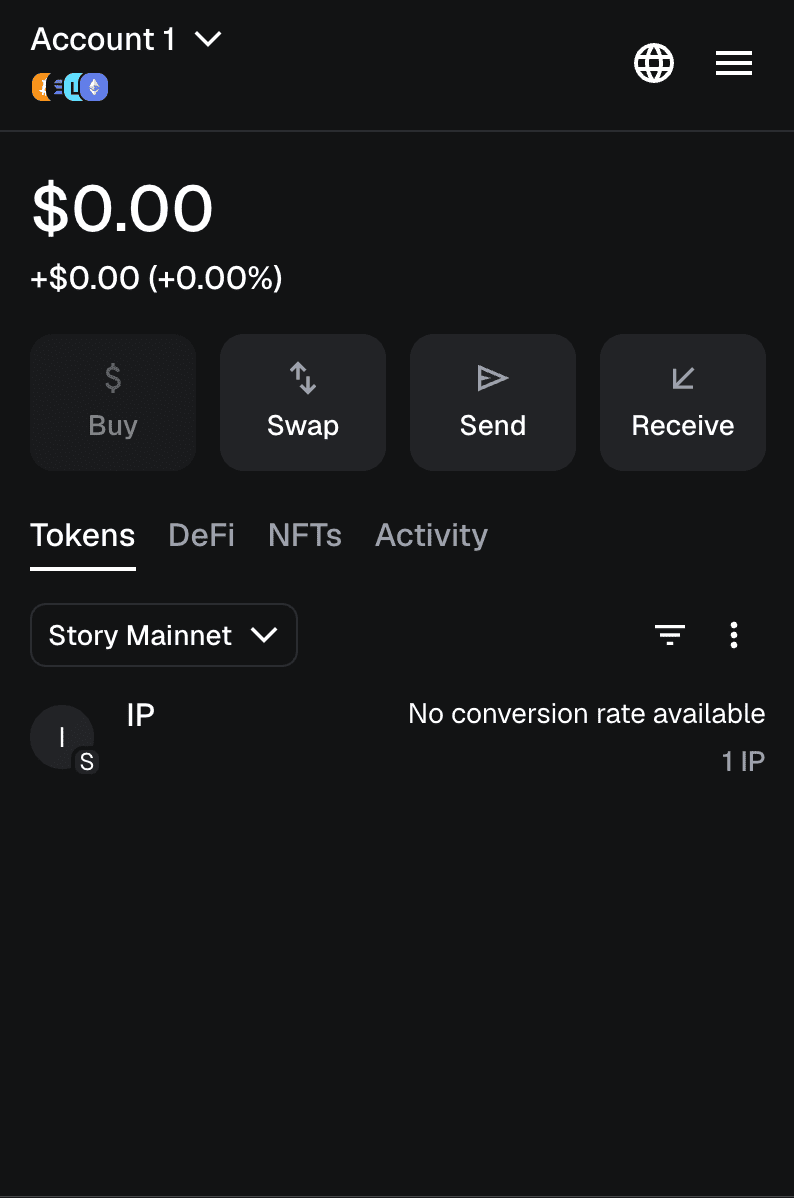
Open your preferred EVM-compatible wallet (e.g., MetaMask, Rabby, or others that support Story Network).
-
Ensure your wallet is connected to the Story Network Mainnet.
-
Confirm you have IP tokens (Story tokens) in your wallet.
-
Leave a small amount of IP for gas fees (recommended: 1–2 IP).
2. Open the Official Staking Portal
-
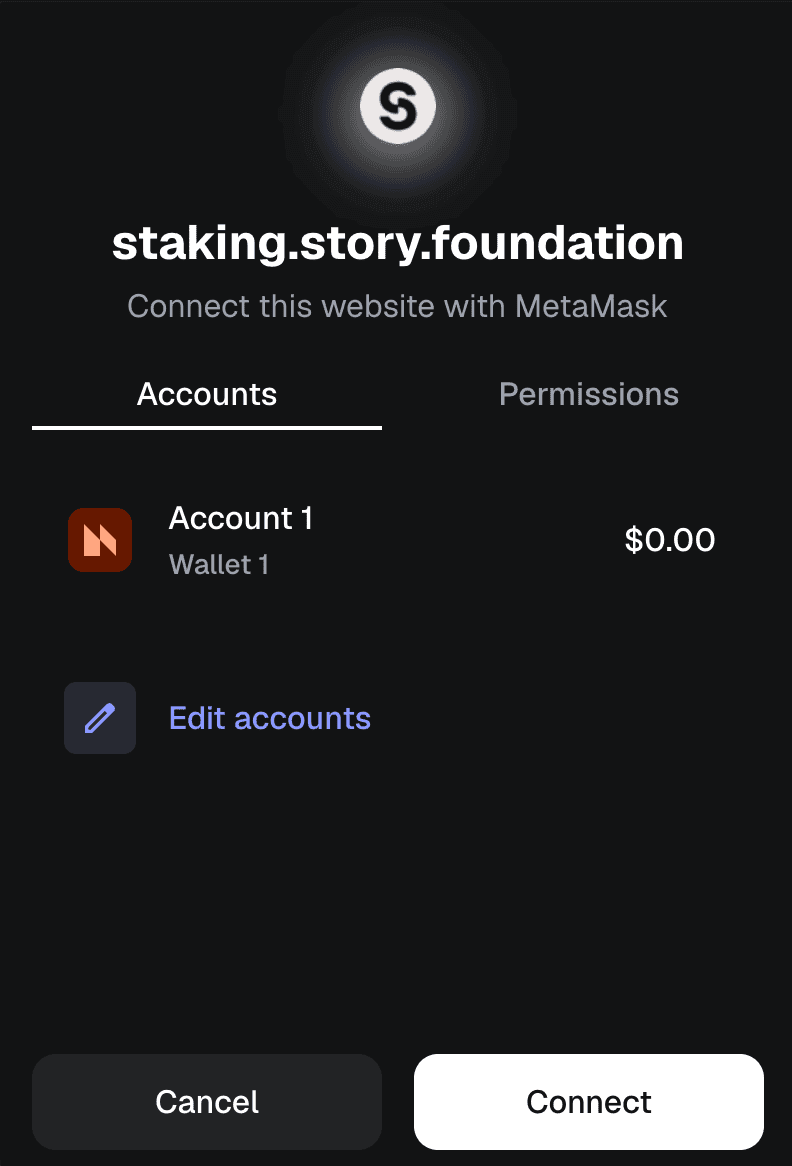
Connect your wallet by clicking “Connect Wallet”.
-
Approve the connection in your wallet extension/app.
3. Select a Validator
-
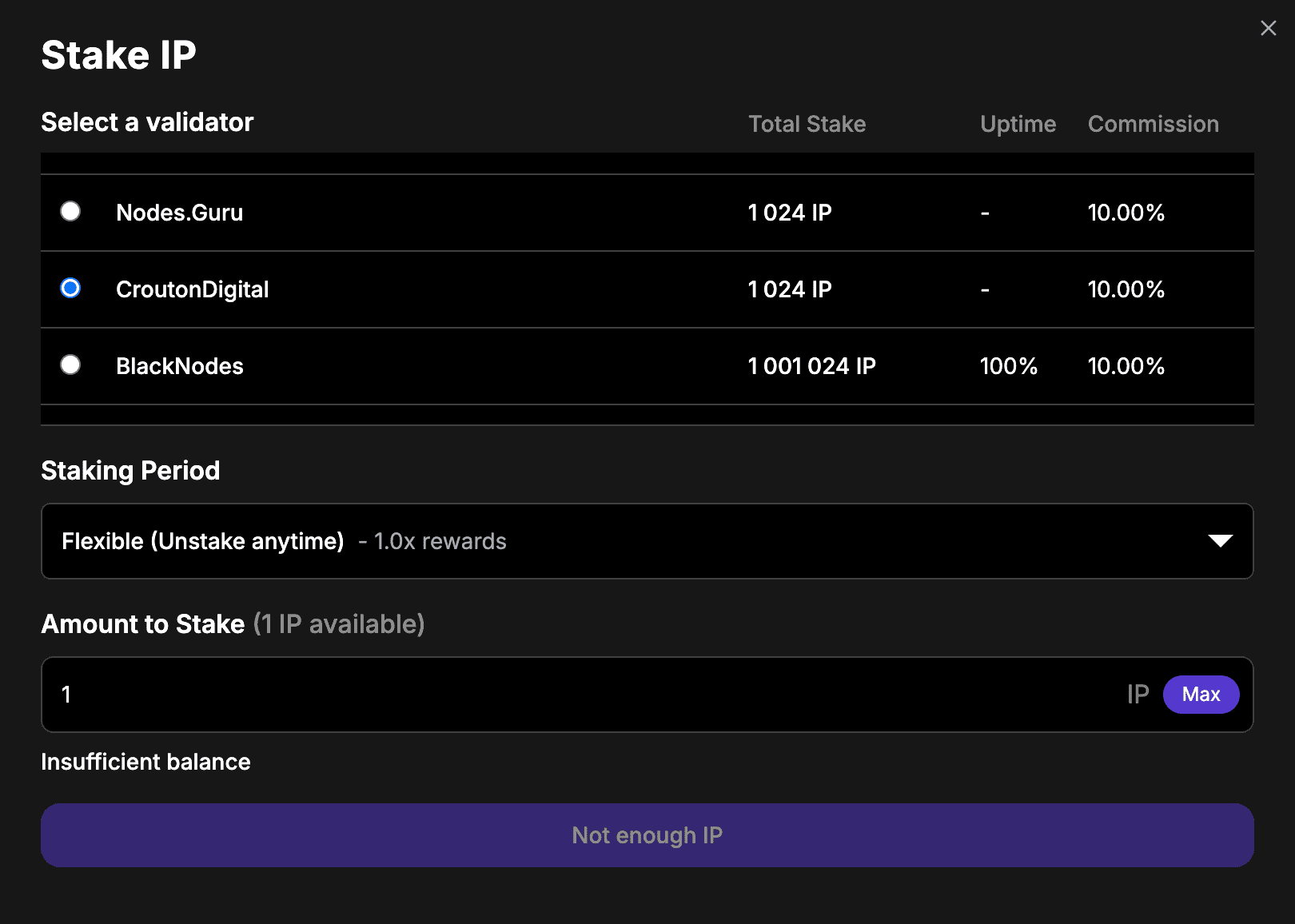
In the validator list, find CroutonDigital (you can search in the list).
-
Click the “Stake Now” button next to CroutonDigital.
-
You will be taken to the delegation screen.
4. Enter Stake Amount
-
In the “Amount” field, enter how many IP tokens you want to stake.
-
Leave some IP for transaction/gas fees (don’t stake your entire balance).
-
Choose your desired staking period. A longer staking period typically results in a higher reward multiplier, meaning you’ll earn more over time.
5. Confirm Delegation
-
Click “Delegate” or “Confirm” (the wording may vary by UI).
-
Your wallet will prompt for approval - confirm the transaction.
-
Wait for the network transaction to complete (usually a few seconds).
6. Check Your Staking Position
After confirmation, you’ll see your delegation entry under “My Stakes”.
It will show:
-
Your staked amount
-
Rewards accumulated
-
Validator info (CroutonDigital)
7. Claiming / Restaking Rewards
Rewards accrue automatically.
To claim rewards, click “Claim Rewards” next to your delegation.
-
Confirm the transaction in your wallet.
-
Optionally, restake your rewards (compound) by delegating them back.
8. Unstaking / Undelegating
If you decide to unstake:
-
Go to your stake position.
-
Click “Undelegate”.
-
Confirm the amount and submit.
Note: Staking will lock and bind your assets to an unbonding schedule of 14 days. To make your IP tokens liquid again, you will need to unstake.

A Web3 OG who has navigated the industry’s evolution from whitepapers to widespread adoption. Having built through the euphoria of bull runs and the discipline of bear winters. Opinions are strictly personal, crafted from years of deep-dive research and hands-on experience in the trenches.